

Run a job in the playground
1
Open the playground and choose a workflow
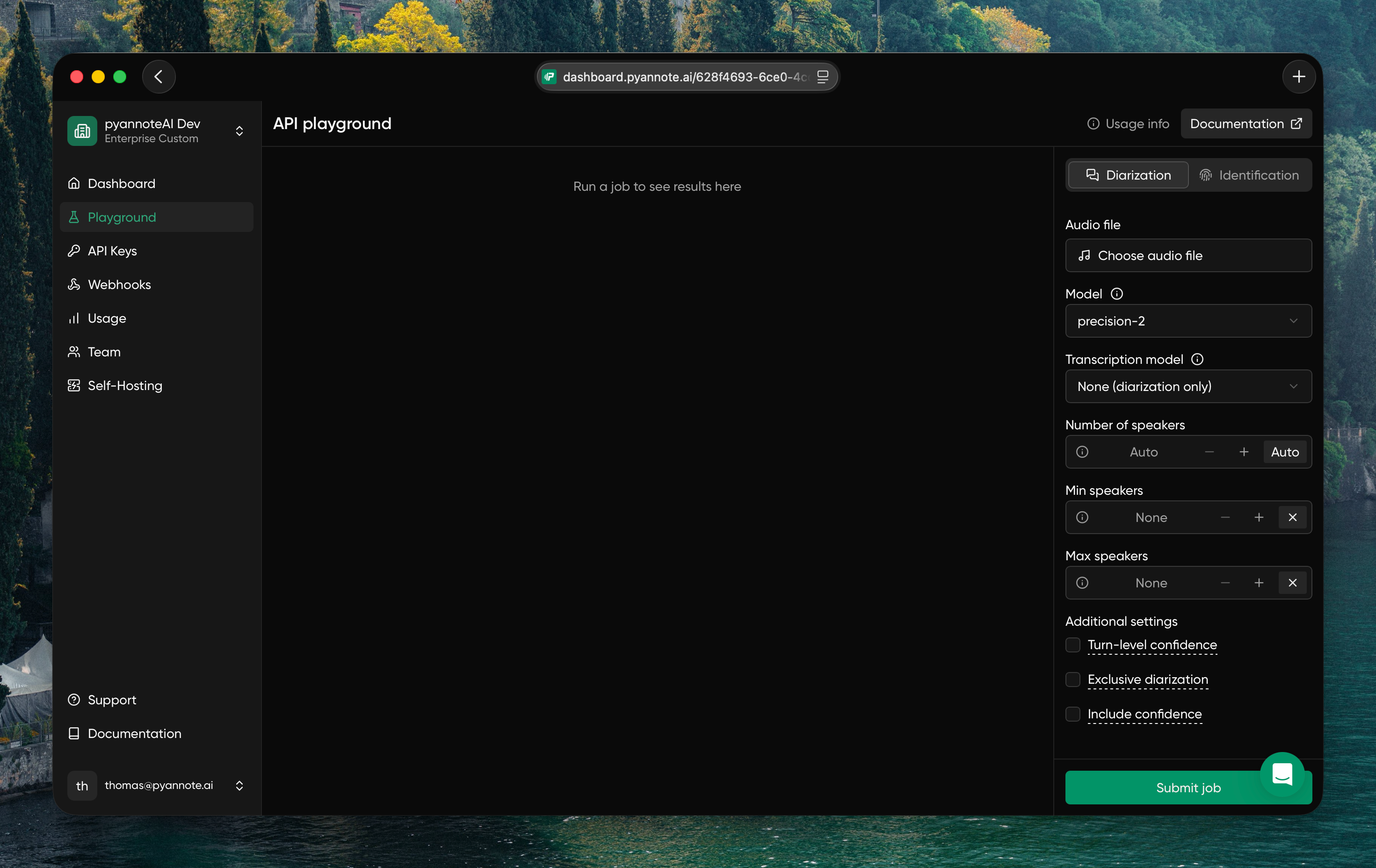
In the dashboard, open Playground and select the mode you want to test:
- Diarization: identify who spoke when
- Identification: match speakers against voiceprints
2
Upload audio and set configurations
Configure your job in the right panel:
- Audio file: upload a file or add a URL to a file you want to process
- Model: choose the diarization model
- Transcription model: select a transcription model when you want STT orchestration (or keep it off for diarization only)
- Speaker controls: optionally set
numSpeakers, or useminSpeakersandmaxSpeakers - Additional settings: enable confidence outputs or exclusive diarization when needed
3
Submit job
Click Submit job and review the output directly in the playground UI.
4
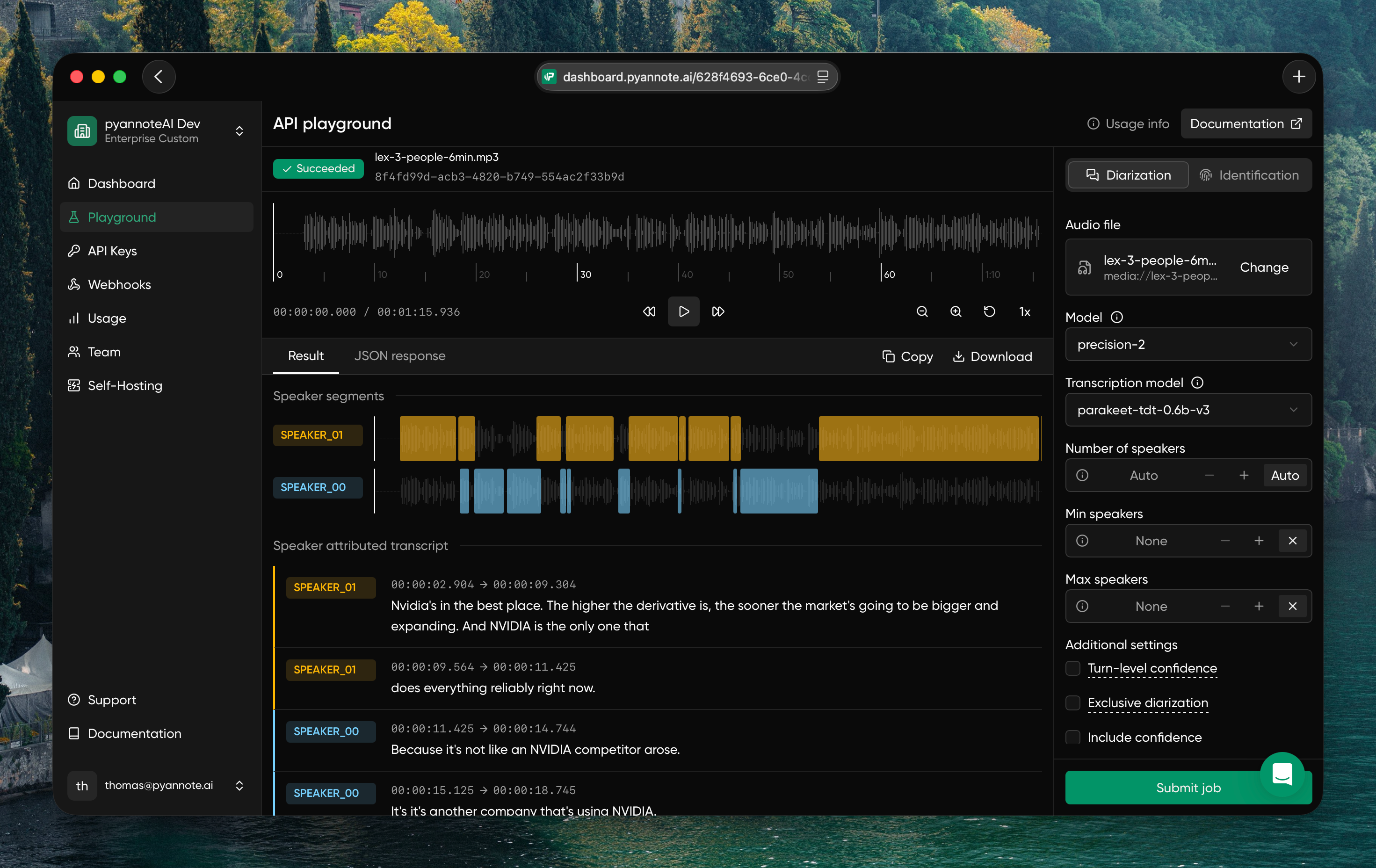
Review results and download job output
Once the job is complete, you can view the result in the interactive UI.To download the output, click Download and choose the format you want.
Credit usage and limitations
- You receive free credits at signup, which can be used to run playground jobs.
- Playground jobs consume your credits exactly like normal API requests, based on your plan.
- Usage from the playground appears in your normal Usage and Billing pages.
- The playground has stricter rate limits than direct API usage.
- The playground is best for interactive testing; use direct API integration for higher-volume automation.